Once enrolled in a course, participants may begin learning independently at their own time and pace.
Starting to Learn
Learning can be started by clicking Continue on the desired course on the My Courses page.
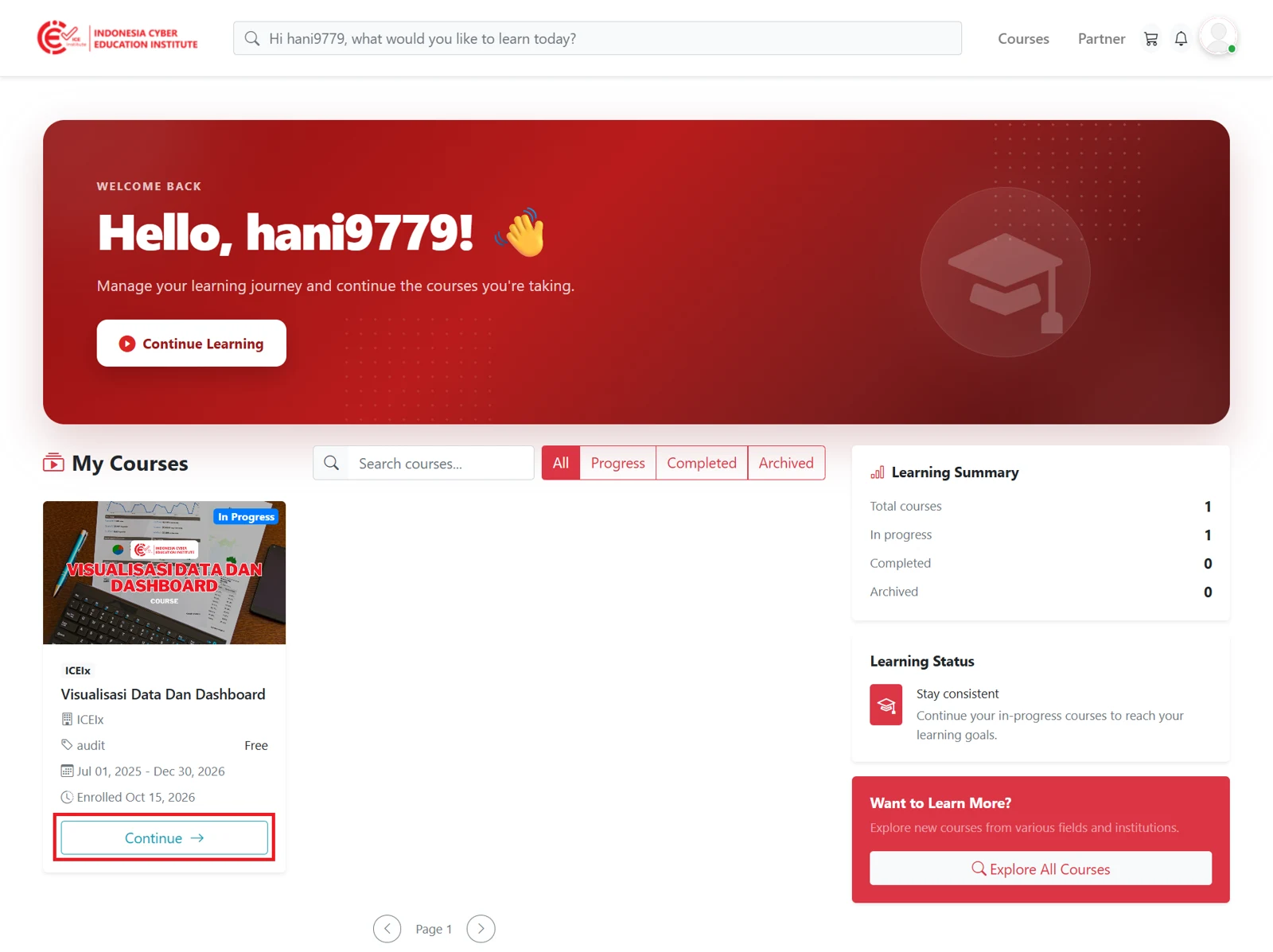
Figure 3.1 - My Courses page
Selecting Learning Materials
After clicking Continue, participants will be directed to a page displaying the complete course structure, from the introductory section to the learning topics. Each section in this structure can be selected to open the materials it contains.
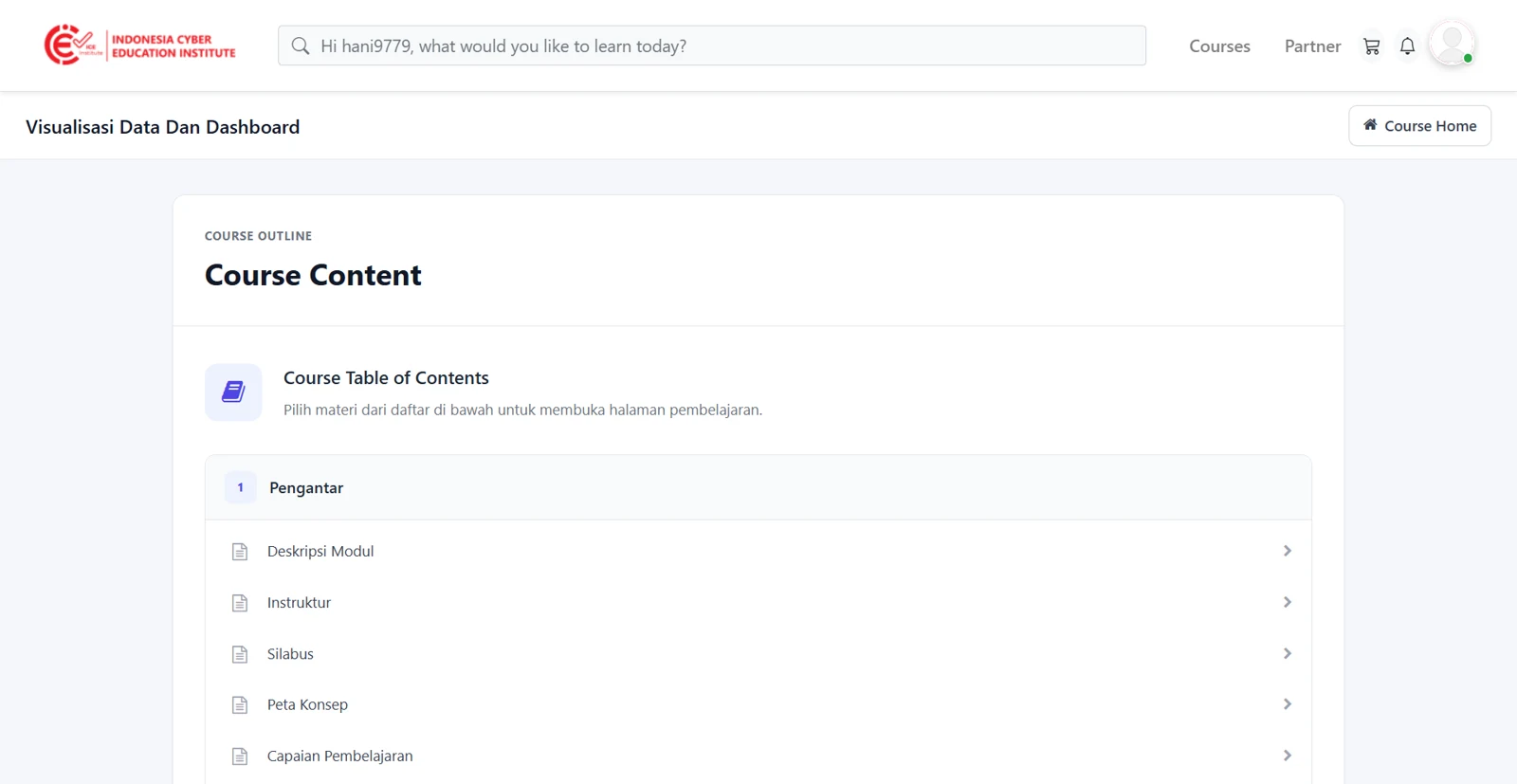
Figure 3.2 - Course structure
Participants are advised to begin with the first section and proceed in sequence so that the material can be understood coherently.
Studying the Materials
After a section is selected, the learning material will be displayed. The position of the current material can be seen in the navigation path at the top of the page, for example: Course → Introduction → Module Description.
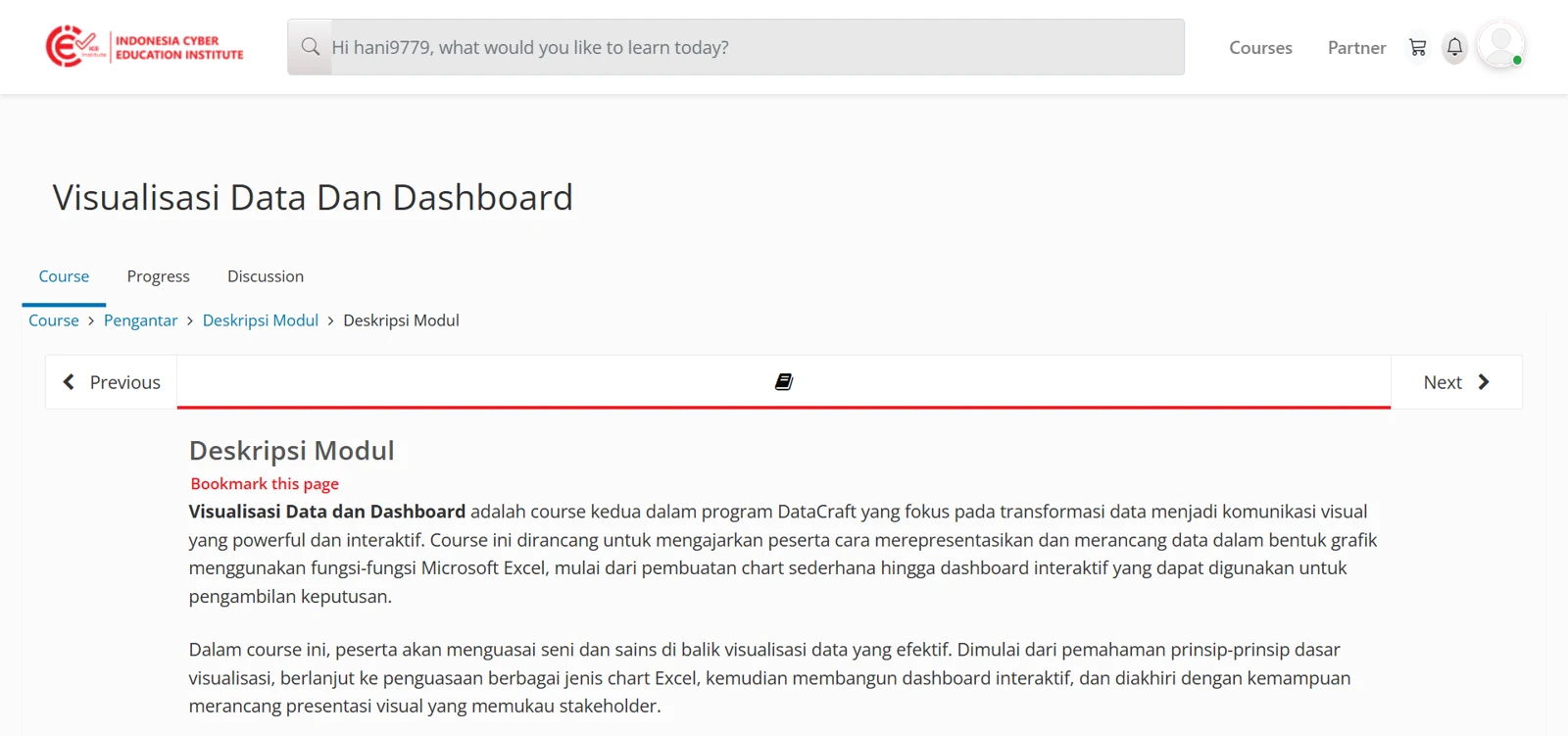
Figure 3.3 - Learning material page
To proceed to the next material, participants can click Next. To return to the previous material, participants can click Previous.
Viewing Progress
Learning progress can be monitored through the Progress tab located at the top of the learning material page.
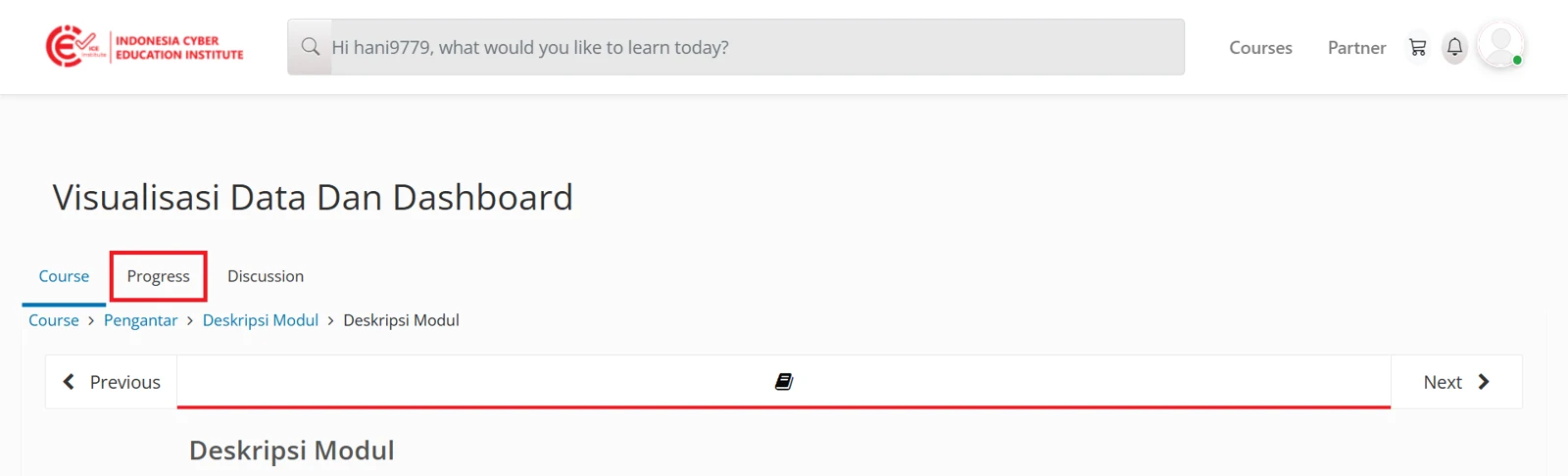
Figure 3.4 - Progress tab
Once this tab is selected, a progress page will be displayed, showing the extent to which learning materials and activities have been completed.
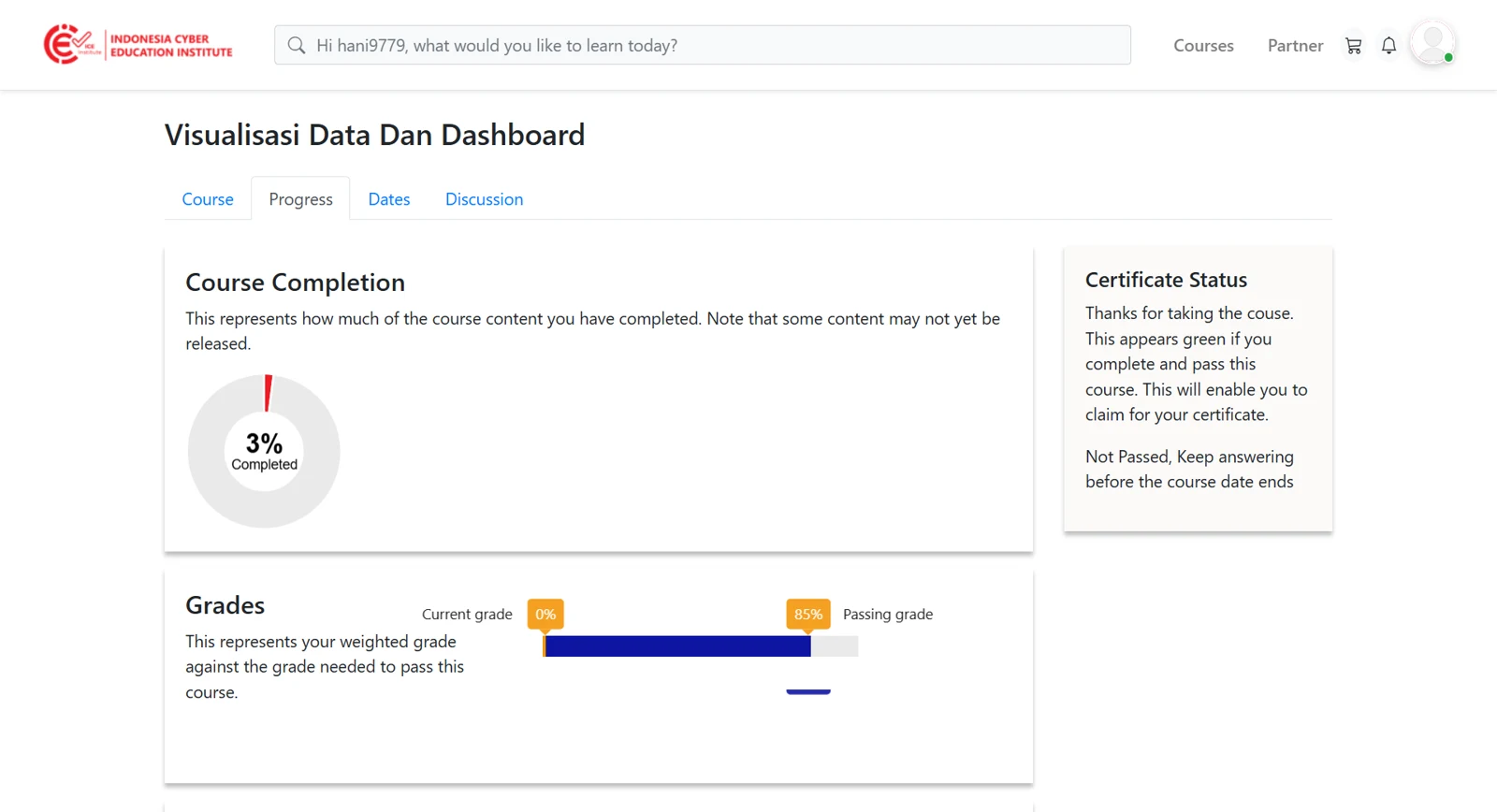
Figure 3.5 - Progress page
As long as the participant's grade has not reached the passing grade, the Certificate Status section will display Not Passed. Participants must continue learning and complete the available activities before the course period ends.
Once the grade reaches the passing grade, the Certificate Status section will turn green, indicating that the participant has passed and may proceed to the certificate issuance stage.
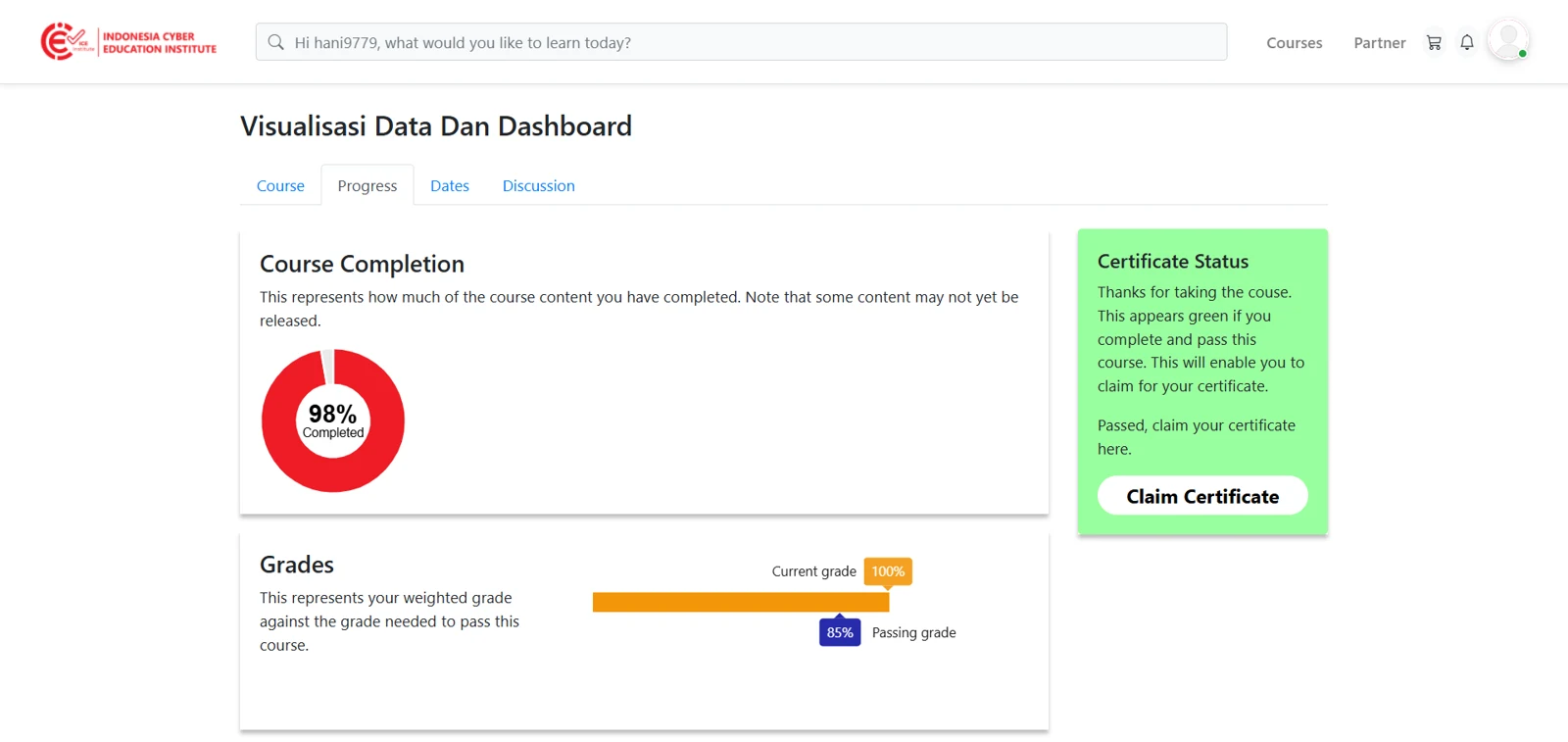
Figure 3.6 - Progress after passing