
This section outlines the steps for Partner Administrators to approve instructor access requests to the platform.
Open Menu Instructors
From the sidebar menu, select Instructors to open the instructor management page.
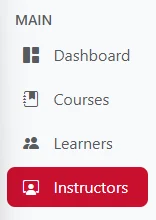
Figure 1.1 – Instructors Menu
View Pending Requests
On the Instructors page, select the Pending Statistic Card to view instructors whose access requests are awaiting approval. Click Details to view the access requests in more detail.

Figure 1.2 – the Pending Statistic Card
Find the Instructor
In the data table, use the Search Bar to find the instructor who has requested access. Enter the instructor's name in the search field, then review the displayed information to ensure that you are processing the correct access request.
Approve the Request 
In the Action column, select to ,approve the instructor's access request.
Confirm Access
Once the approval is successful, the instructor's access request status will be updated, and the instructor can access the platform according to the assigned permissions.