The Administration section provides features for managing the partner organization’s information and administrative needs. Through this section, administrators can manage the partner profile and access features related to partner management.
The Administration section consists of the following main sections:
Partner Profile
The Partner Profile menu is used to manage and maintain the partner organization’s profile information on the platform. This page allows administrators to update general partner information, tax and bank details, organizational descriptions, contact information, and social media accounts.
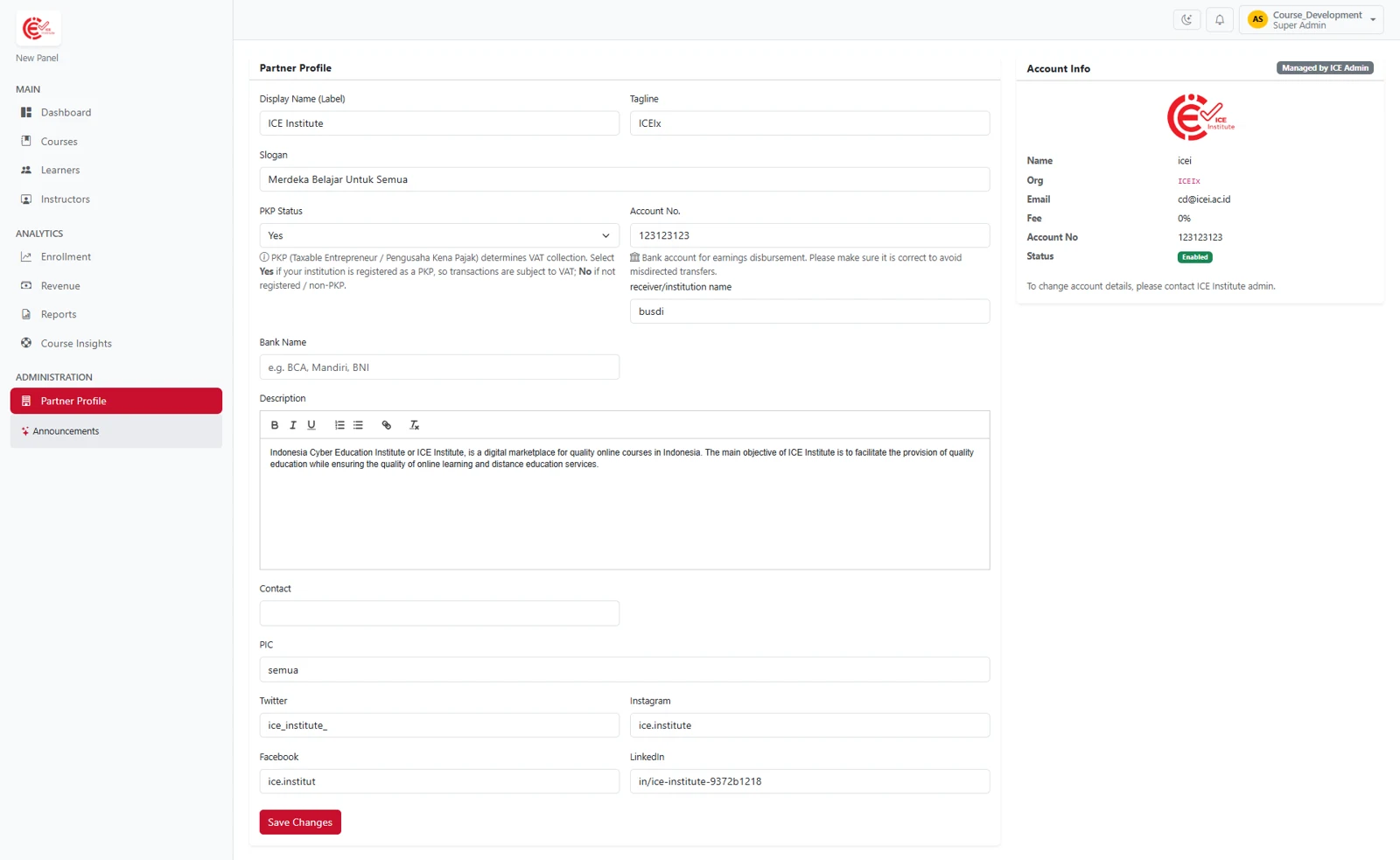
Figure 5.1 – Partner Profile Menu
The information to be completed includes:
Field | Description |
|---|---|
Display Name (Label) | Displays the partner’s name as shown on the platform. |
Tagline | Displays a short tagline representing the partner organization |
Slogan | Displays the partner organization’s slogan or motto. |
PKP Status | Specifies whether the partner is registered as a Taxable Entrepreneur (PKP) or non-PKP for tax purposes in transactions. Partners with PKP status are subject to applicable taxes, while non-PKP partners are not subject to taxes. Notice: We kindly advise you to keep the partner status up to date. Any changes to the PKP or partnership status will affect the calculation scheme, so please ensure the status reflects the partner's current conditions before saving |
Account No. | Contains the bank account number used for partner revenue disbursement. |
Receiver/Institution Name | Specifies the name of the party or institution receiving the payment, disbursement, or transaction. |
Bank Name | Specifies the bank associated with the partner’s disbursement account. |
Description | Displays a brief profile providing an overview of the partner organization. |
Contact | Displays the partner organization’s contact information. |
PIC | Displays the Person in Charge (PIC) responsible for serving as the liaison between the partner organization and the relevant institution. |
Official account. | |
Official account. | |
Official account. | |
Official account. |
If there are any changes to the Partner Profile, click to save the updates. 
Account Info
The Account Info section displays the partner’s account information, including Name, Organization, Email, Fee, Account No., and Status.
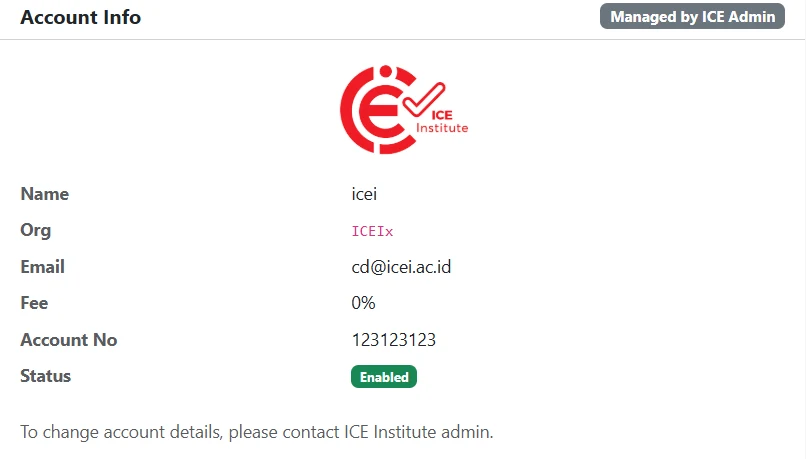
Figure 5.2 – Account Info
This information is managed by the ICE Institute Admin and is provided for reference. If changes are required to the account information, the partner should contact the ICE Institute administrator.
Announcements
Used to manage and share announcements or information related to the partner’s activities.
Support
Enquiries about a course under institutional review are directed to the administrator at the institution. Enquiries about curation, technical faults, and error messages are directed to ICE Institute support.
Channel | Details |
|---|---|
This document is maintained by ICE Institute and updated as the platform develops. Comments and suggestions for improvement are welcome through the channels above.