
Pre-submission verification
Before submission, the course is reviewed to confirm that its content and settings are complete and function as intended. Open the course outline and work through each section, subsection, and unit, checking the following.
Course structure
Sections, subsections, and units follow the intended sequence. No unit is empty. Names are clear and consistent throughout.
Learning content
Text displays correctly. Images and other media appear. Videos play without difficulty. External links open as expected.
Assessment
Questions can be answered. Correct answers are set. Feedback appears where it has been provided. Each graded subsection is assigned to an assignment type, and the grading weights match the course syllabus.
Course settings
The course start and end dates are correct. The pacing is set. The course language is correct. The course card image and introduction video display properly. The course overview is complete.
A course that does not meet the completeness requirements is likely to be returned for revision.
Submitting a course
When the course is complete, it is submitted for review from the dashboard. Select Courses in the navigation menu to open the course list.
Where Studio is open, return to the dashboard first by selecting the Studio Home in the account menu in the upper right corner.

Figure 5.1 – Studio Home
Select Dosen Dashboard to open the lecturer dashboard.

Figure 5.2 – Lecturer Dashboard
The course status is shown in the Courses menu. Select the course to be submitted.
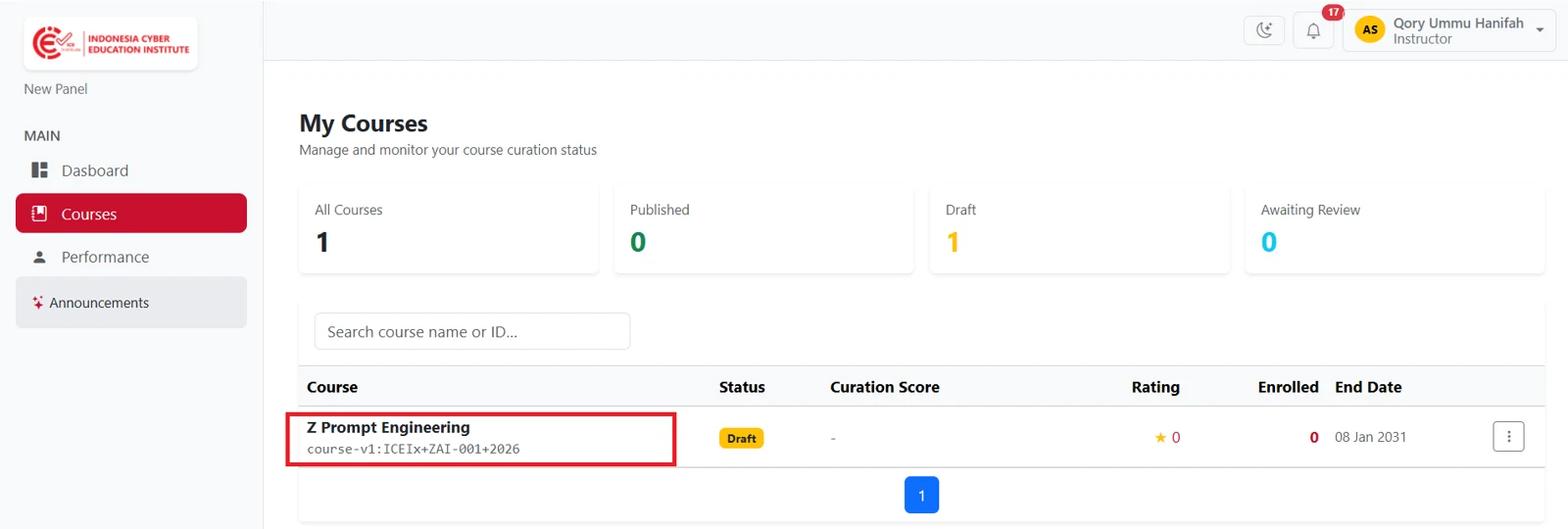
Figure 5.3 – Course Status
The Automated Curation Checklist assesses the course against the requirements set by ICE Institute. Requirements that have been met are marked with a tick, and those that have not are marked with a cross.
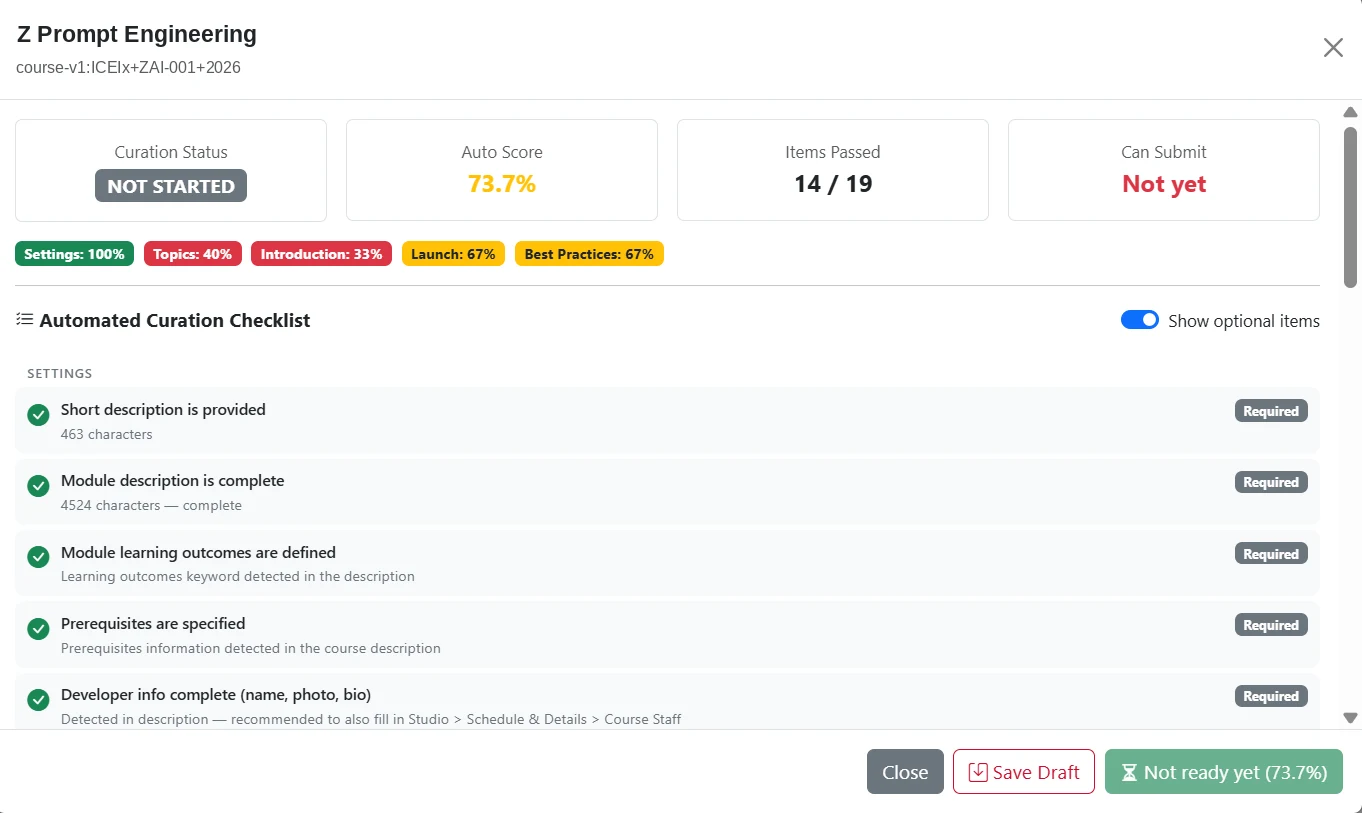
Figure 5.4 – Automated Curation Checklist
A course that has not reached the minimum score cannot be submitted. Submit for Curation remains unavailable until the outstanding requirements have been addressed. Once the minimum score is reached, select Submit for Curation.
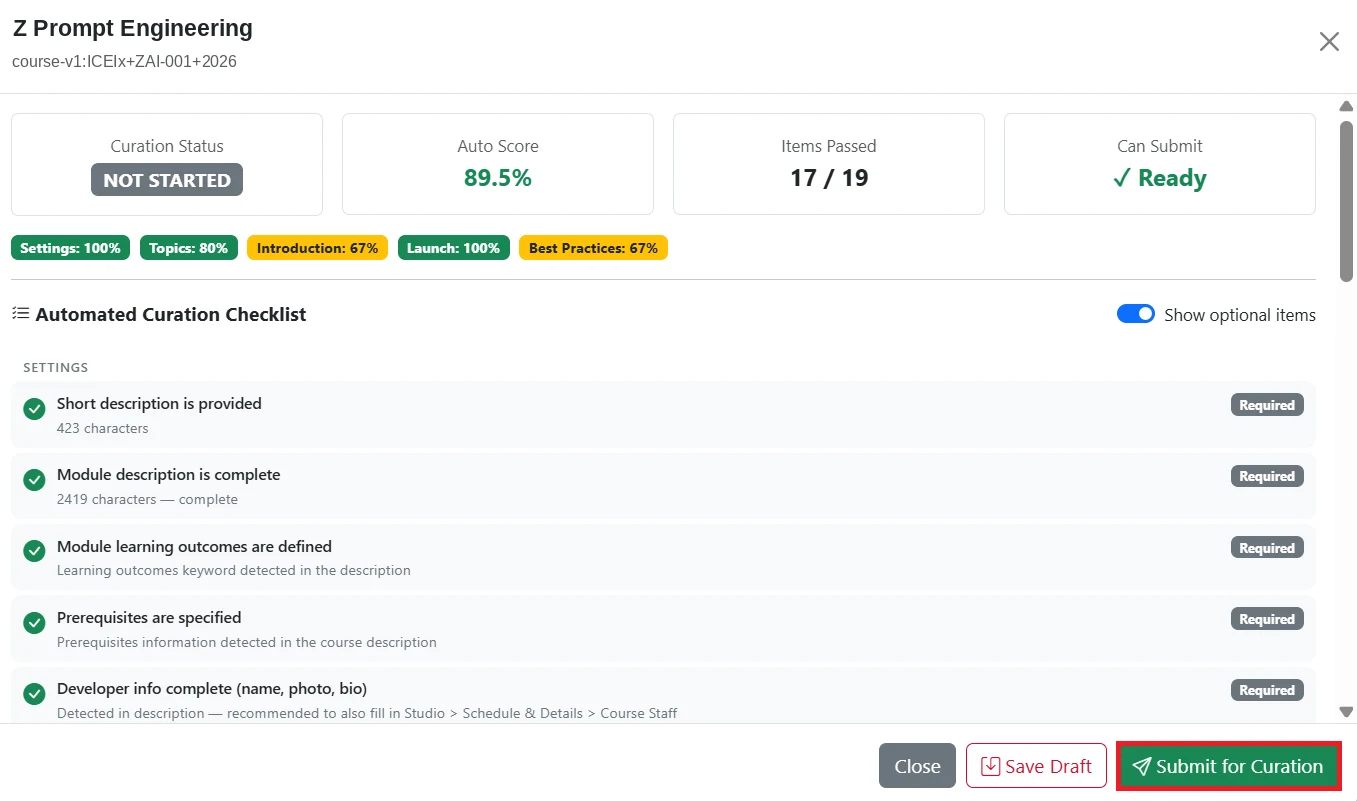
Figure 5.5 – Submit for Curation
Notes can be added on the same page, and remain visible to the partner administrator during review. Curation History records each submission, so that earlier submissions and the revisions made in response to them can be traced.
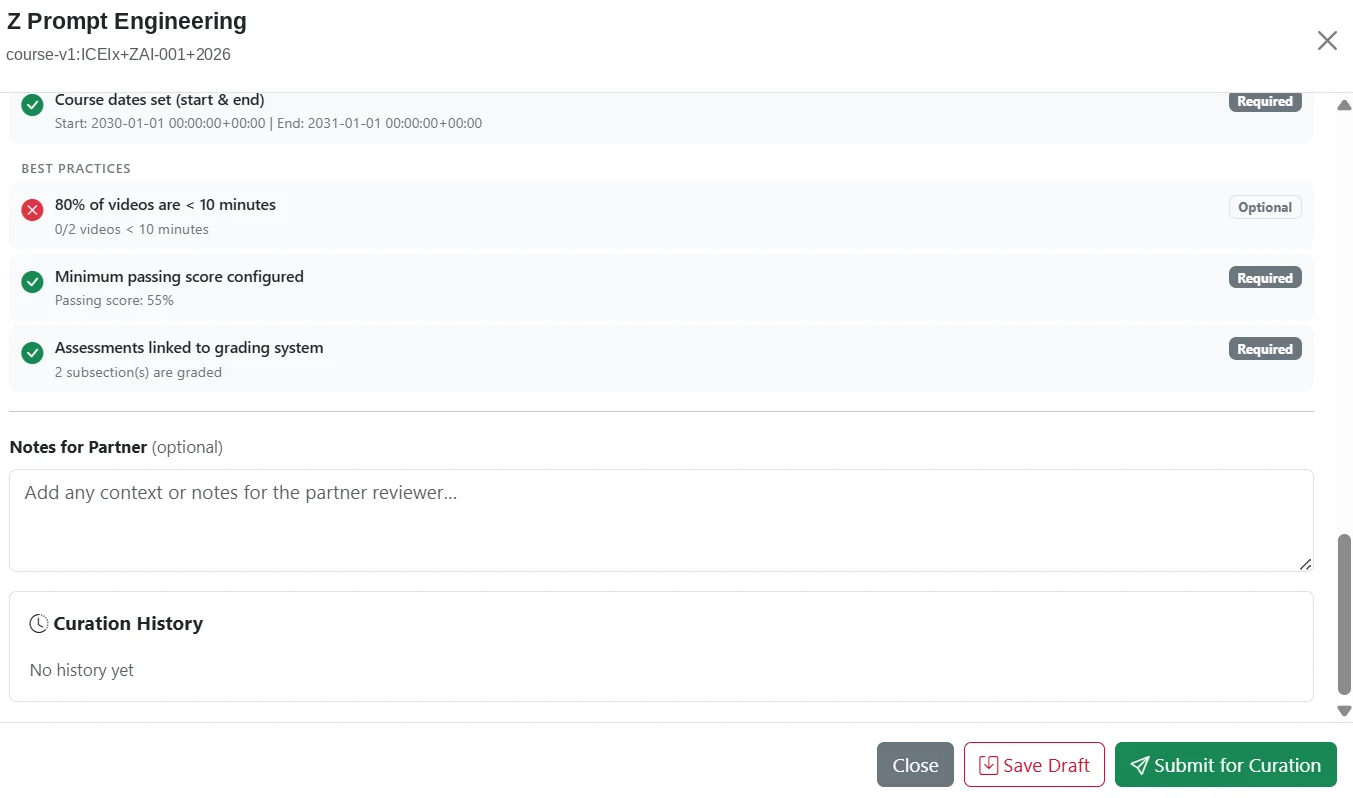
Figure 5.6 – Curation History
Support
Enquiries about a course under institutional review are directed to the administrator at the institution. Enquiries about curation, technical faults, and error messages are directed to ICE Institute support.
Channel | Details |
|---|---|
This document is maintained by ICE Institute and updated as the platform develops. Comments and suggestions for improvement are welcome through the channel above.